Design Engineer, Mechanical Design, CAD Software, Mechanical Engineering Jobs, GD&T, Career Growth
A mechanical engineering degree can open the door to many career opportunities, and design engineering is one of the most interesting options for students who enjoy creating products, designing machine components, and solving technical problems.
But getting a job as a Design Engineer is not just about learning SolidWorks or CATIA. You also need to understand engineering drawings, manufacturing processes, materials, tolerances, and how mechanical components work together.
Many students spend months learning CAD software but struggle during interviews because they cannot explain the engineering behind their models. Others get their first job but find it difficult to progress because they focus only on modelling instead of developing broader design skills.
This Design Engineer Career Guide will help you understand the role, learn the skills employers look for, explore salary expectations in India, and avoid common mistakes that can slow your career growth.
Whether you are a mechanical engineering student, a fresher searching for your first job, or an experienced engineer planning your next career move, this guide will help you understand your options.
What Is a Design Engineer?
A Design Engineer develops mechanical components, machines, products, and assemblies according to technical requirements.
The role involves converting an idea into a design that can be manufactured, tested, assembled, and used reliably.
For example, imagine a company wants to develop a new industrial machine. Someone must design its frame, shafts, bearings, gears, mounting arrangements, and other components. These parts must fit together correctly and withstand the expected operating conditions.
A Design Engineer works on these requirements using engineering knowledge, CAD software, calculations, and design documentation.
Design Engineers work in industries such as:
Automobile and electric vehicle manufacturing
Industrial machinery
Aerospace and defence
Consumer products
Heavy engineering
Manufacturing equipment
HVAC and industrial piping
Product development and research
A successful Design Engineer combines creativity with practical engineering knowledge.
What Does a Design Engineer Do?
The responsibilities depend on the industry and company, but the following tasks are common in mechanical design roles.
1. Create 3D Models
Design Engineers use Computer-Aided Design (CAD) software to create three-dimensional models of components and assemblies.
These models help engineers understand dimensions, component relationships, clearances, and assembly arrangements before manufacturing begins.
2. Prepare Engineering Drawings
Manufacturing teams need accurate drawings to produce components correctly.
These drawings may include dimensions, tolerances, material specifications, surface finishes, and other manufacturing requirements.
Understanding engineering drawings and GD&T is therefore important.
3. Select Materials and Components
A Design Engineer must select suitable materials and standard components according to the application.
For example, a shaft carrying a heavy load may require different material properties and dimensions from a lightly loaded shaft.
4. Perform Engineering Calculations
Depending on the project, engineers may calculate loads, stresses, deflection, torque, power, and other design parameters.
These calculations help determine whether the proposed design meets its requirements.
5. Coordinate with Manufacturing Teams
A design must be practical to manufacture and assemble.
Design Engineers work with Production, Quality, Procurement, and suppliers to address manufacturing difficulties and improve product reliability.
6. Test and Improve Designs
Designs may undergo simulation, prototype testing, design reviews, and validation. If testing reveals a problem, engineers modify the design and evaluate it again.
Design engineering is an iterative process involving modelling, evaluation, testing, and improvement.
Types of Design Engineer Jobs
Mechanical engineers can choose from several design specializations.
Mechanical Design Engineer: Designs machine components, mechanisms, equipment, and assemblies.
Automotive Design Engineer: Works on vehicle components, chassis systems, interiors, and other automotive systems.
Product Design Engineer: Develops products from initial concepts through detailed design and validation.
Machine Design Engineer: Designs industrial machinery, fixtures, mechanisms, and specialized equipment.
HVAC Design Engineer: Designs heating, ventilation, air-conditioning, and related mechanical systems.
Piping Design Engineer: Develops piping layouts, equipment arrangements, and industrial piping models.
Tool Design Engineer: Designs jigs, fixtures, dies, moulds, and manufacturing tools.
Before selecting a specialization, review job descriptions and identify which skills employers expect for that particular role.
Essential Skills for Design Engineers
Learning software is important, but software alone will not make you a strong Design Engineer.
Technical Skills
Build a solid foundation in:
Engineering Drawing
Engineering Mechanics
Strength of Materials
Machine Design
Manufacturing Processes
Materials Science
Theory of Machines
Fits and Tolerances
Geometric Dimensioning and Tolerancing (GD&T)
Design for Manufacturing and Assembly (DFMA)
These subjects help you understand whether a design will work in real-world conditions.
Software Skills
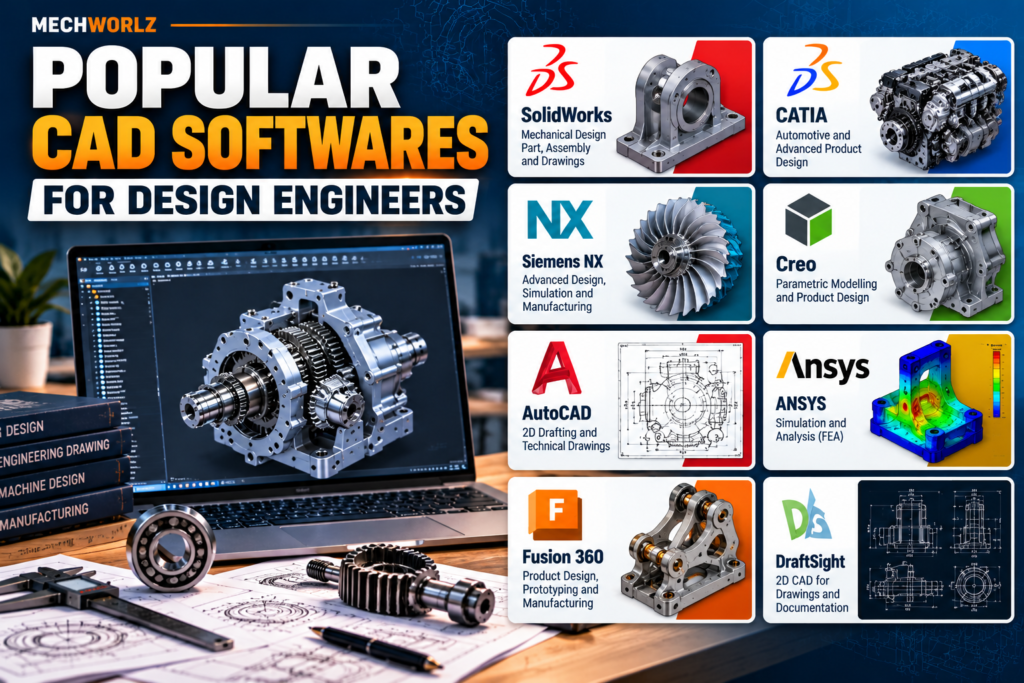
Choose software according to your target industry. Common tools include SolidWorks, CATIA, Siemens NX, Creo, AutoCAD, and simulation applications such as ANSYS.
You do not need to master every tool immediately. Start with one relevant CAD platform, learn part modelling and assemblies, and practise creating detailed engineering drawings.
Professional Skills
Design projects involve teamwork and technical communication.
Develop problem-solving, attention to detail, documentation, time management, and presentation skills. As you gain experience, learn how to explain design decisions and coordinate with other departments.
For further reading, explore Autodesk’s design and engineering resources, which explain CAD models, technical drawings, simulation, and product development workflows.
Best Software for Design Engineers
| Software | Common Applications |
|---|---|
| SolidWorks | Mechanical parts, assemblies, and drawings |
| CATIA | Automotive and complex product design |
| Siemens NX | Advanced product development and CAD/CAE |
| Creo | Parametric modelling and product design |
| AutoCAD | 2D drafting and technical drawings |
| ANSYS | Engineering simulation and analysis |
| Autodesk Fusion | 3D design, prototyping, and manufacturing workflows |
Software requirements vary between employers. An automotive company may prefer CATIA or Siemens NX, while a machinery manufacturer may use SolidWorks or Creo.
Choose your first tool based on the roles you want to apply for rather than trying to learn everything at once.
Qualifications and Certifications
In India, many entry-level mechanical design positions accept candidates with a Diploma in Mechanical Engineering, B.E., or B.Tech in Mechanical Engineering. Some employers require specific degrees or experience, so always check the job description.
Relevant courses and certifications may include:
SolidWorks, CATIA, Creo, or Siemens NX
GD&T and engineering drawing
Machine design
Design for Manufacturing and Assembly
FEA and simulation fundamentals
Product development and technical documentation
A certificate can demonstrate training, but practical ability matters too. Build projects that show you can create models, prepare drawings, and explain your engineering decisions.
You can explore NPTEL courses for additional technical learning and Autodesk’s learning resources for CAD and product-design training.
Design Engineer Salary in India
Design Engineer salaries depend on experience, location, industry, company size, and technical specialization.
The following are indicative annual salary ranges for career planning, not verified national averages or guaranteed offers.
| Experience | Indicative Salary |
|---|---|
| Fresher: 0–2 years | ₹2.5–5 LPA |
| Junior Design Engineer: 2–4 years | ₹4–7 LPA |
| Design Engineer: 4–7 years | ₹6–12 LPA |
| Senior Design Engineer: 7–10 years | ₹10–18 LPA |
| Lead Design Engineer: 10+ years | ₹15–25 LPA or more |
Actual offers can fall outside these ranges. Specialized product development, advanced simulation, complex assemblies, and international project experience may influence earning potential.
When comparing job offers, consider the responsibilities, learning opportunities, benefits, location, and long-term prospects—not salary alone.
How to Become a Design Engineer
If you are a student or fresher, follow these practical steps.
Step 1: Strengthen Your Fundamentals
Revise engineering drawing, manufacturing processes, machine design, materials, and Strength of Materials.
Try to understand why a component has a particular shape, dimension, material, or tolerance.
Step 2: Learn One CAD Tool Properly
Select a software platform that is relevant to your target industry.
Practise sketches, part modelling, assemblies, constraints, drawings, and design modifications.
Step 3: Build a Portfolio
Create three to five projects that demonstrate your skills. Suitable examples include a screw jack, bearing housing, belt conveyor, gearbox assembly, or machine fixture.
For each project, explain the objective, design decisions, modelling process, and manufacturing considerations. Include drawings and calculations where relevant.
Step 4: Prepare Your Resume
Include relevant projects, internships, technical skills, and software proficiency. Be honest about your ability level and be ready to explain everything listed.
Step 5: Apply for Relevant Jobs
Search for positions such as Graduate Design Engineer, Junior Mechanical Design Engineer, CAD Engineer, Product Design Engineer, and Trainee Design Engineer.
Compare job descriptions to identify the skills you need to improve.
Step 6: Practise Interview Questions
Prepare for questions about engineering drawings, tolerances, materials, machine components, design calculations, and your own projects.
Interviewers may ask you to explain a model, interpret a drawing, or suggest how you would improve an existing component.
Common Career Mistakes to Avoid
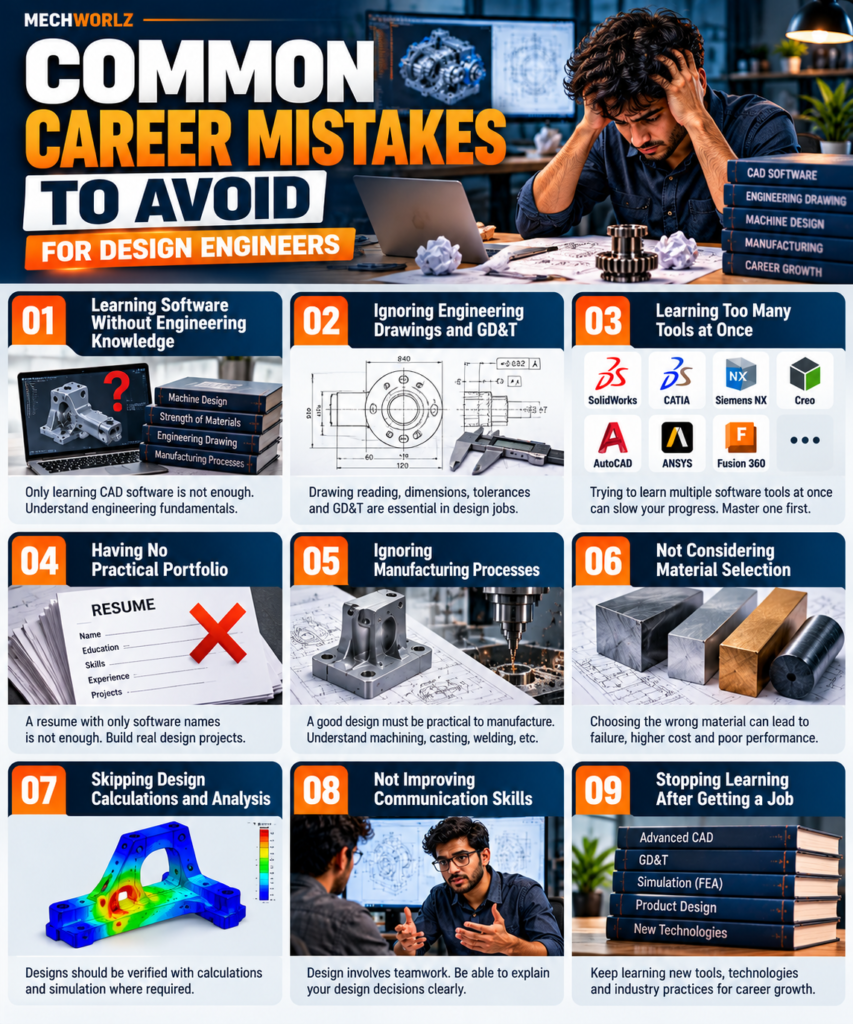
Avoiding these mistakes can help you build a stronger foundation and make better career decisions.
Mistake 1: Learning Software Without Engineering Knowledge
You may be able to create an impressive 3D model, but can you explain why the dimensions and materials were selected?
What to do instead: Connect every modelling exercise with engineering fundamentals and manufacturing requirements.
Mistake 2: Ignoring Engineering Drawings and GD&T
A model is useful, but manufacturing teams also need accurate specifications and tolerances.
What to do instead: Practise creating and reading complete engineering drawings.
Mistake 3: Learning Too Many Software Tools at Once
Switching between several tools without mastering the basics can slow your progress.
What to do instead: Become proficient in one relevant CAD tool before expanding to others.
Mistake 4: Having No Practical Portfolio
Employers may find it difficult to assess your skills if your resume contains only software names.
What to do instead: Develop a few well-documented projects that demonstrate your modelling, drawing, and problem-solving abilities.
Mistake 5: Ignoring Manufacturing Processes
A design that looks good on a screen may be difficult or expensive to manufacture.
What to do instead: Learn about machining, casting, welding, sheet-metal fabrication, assembly, and inspection.
Mistake 6: Stopping Learning After Getting a Job
Engineering tools and product-development practices continue to evolve.
What to do instead: Keep improving your technical skills and learn from design reviews, manufacturing feedback, testing, and experienced colleagues.
Career Growth Opportunities
Design Engineers can progress along technical or managerial career paths.
A typical progression may look like this:
Graduate Design Engineer → Junior Design Engineer → Design Engineer → Senior Design Engineer → Lead Design Engineer → Design Manager or Engineering Manager
As you gain experience, you may handle complex assemblies, lead design reviews, mentor junior engineers, manage projects, or specialize in advanced simulation and product development.
Your progress depends on demonstrated skills, project experience, performance, and available opportunities—not experience alone.
To grow, learn to justify design decisions, solve recurring problems, understand manufacturing costs, and demonstrate how your work improves product performance or reliability.
Frequently Asked Questions
1. Is Design Engineer a good career for mechanical engineers?
It can be a good option if you enjoy product development, 3D modelling, engineering drawings, and technical problem-solving.
2. Which software should a fresher learn first?
Choose a CAD tool based on your target industry. SolidWorks, CATIA, Creo, and Siemens NX are common options, but employer requirements differ.
3. Can diploma holders become Design Engineers?
Some employers hire diploma holders for CAD, drafting, detailing, and certain design roles. Eligibility depends on the employer and position.
4. Is coding necessary for mechanical design?
Coding is not required for every design role, but it can be useful in simulation, automation, optimization, and advanced engineering workflows.
5. What is more important: CAD software or mechanical knowledge?
Both are important. CAD helps communicate the design, while engineering knowledge helps ensure the design functions safely and reliably.
6. How can an experienced engineer move into a better design role?
Develop deeper specialization, improve GD&T and design-validation skills, document successful projects, and apply for positions that match your experience.
Final Thoughts
Design engineering offers mechanical engineers the opportunity to turn ideas into practical products, components, and machines.
But a successful career requires more than learning CAD software. You need to understand how components work, how manufacturing affects design, and how to solve problems through calculations, testing, and continuous improvement.
If you are a student, strengthen your fundamentals and build projects. If you are a fresher, develop your portfolio and learn from experienced engineers. If you are already working, deepen your specialization and demonstrate the value of your design decisions.
Learn the tools. Understand the engineering. Build practical projects. Keep improving.
That is a strong foundation for long-term growth as a Design Engineer.
Explore more mechanical engineering career guides and learning resources on MECHWORLZ.in.